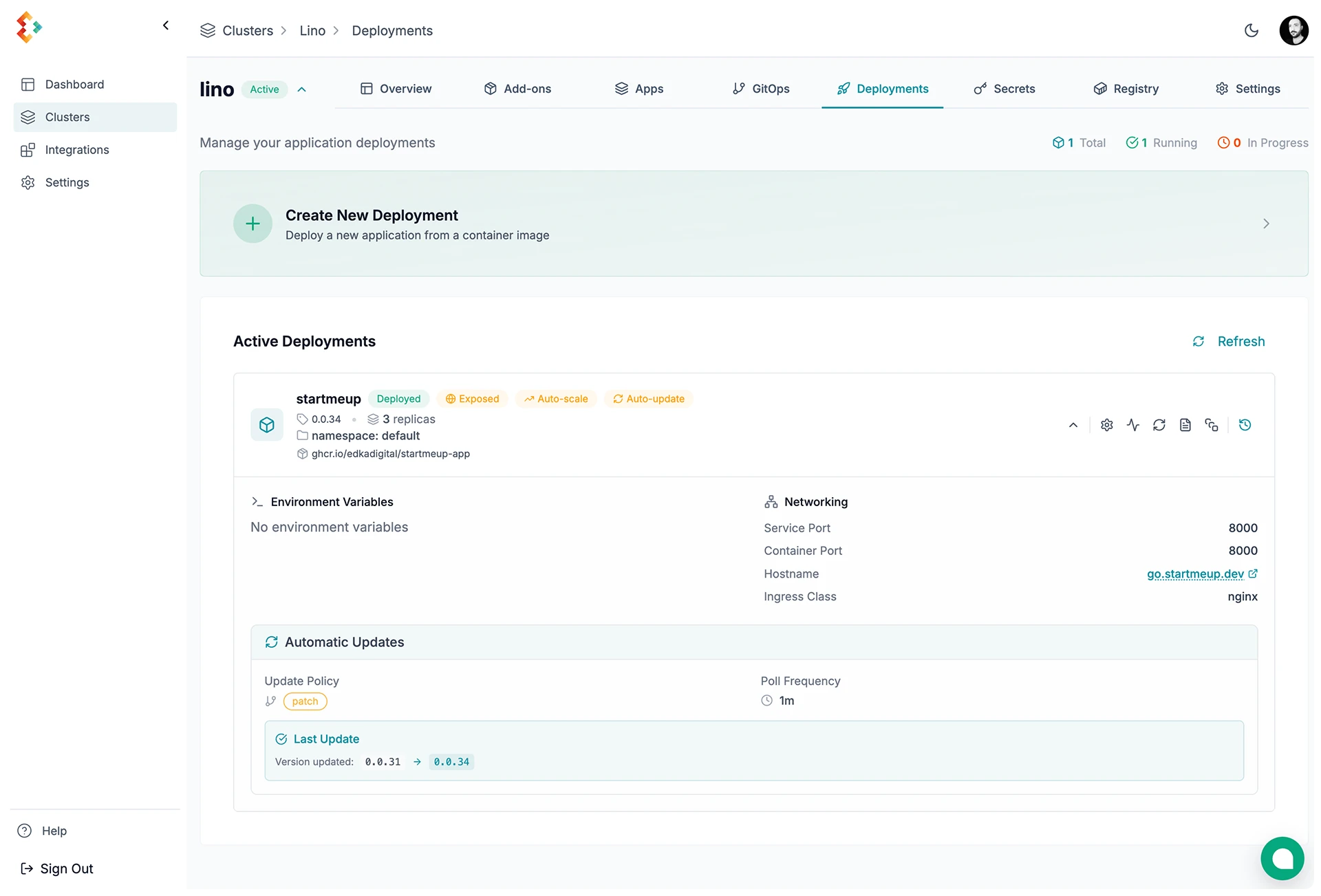

Kubernetes Deployments Management
Deploy containerized applications to Kubernetes with Edka.
Workload types
Section titled “Workload types”Edka supports three workloads:
- Container image deployments: manage a deployment from a pre-built image.
- Branch deployments (Git): build from a GitHub branch or tag, with optional preview environments. See Branch deployments.
- Cron Jobs: run scheduled batch workloads (for example backups, cleanup jobs, and sync tasks). See Cron Jobs.
Create a Deployment
Section titled “Create a Deployment”Basic Configuration
Section titled “Basic Configuration”Set the core deployment settings.
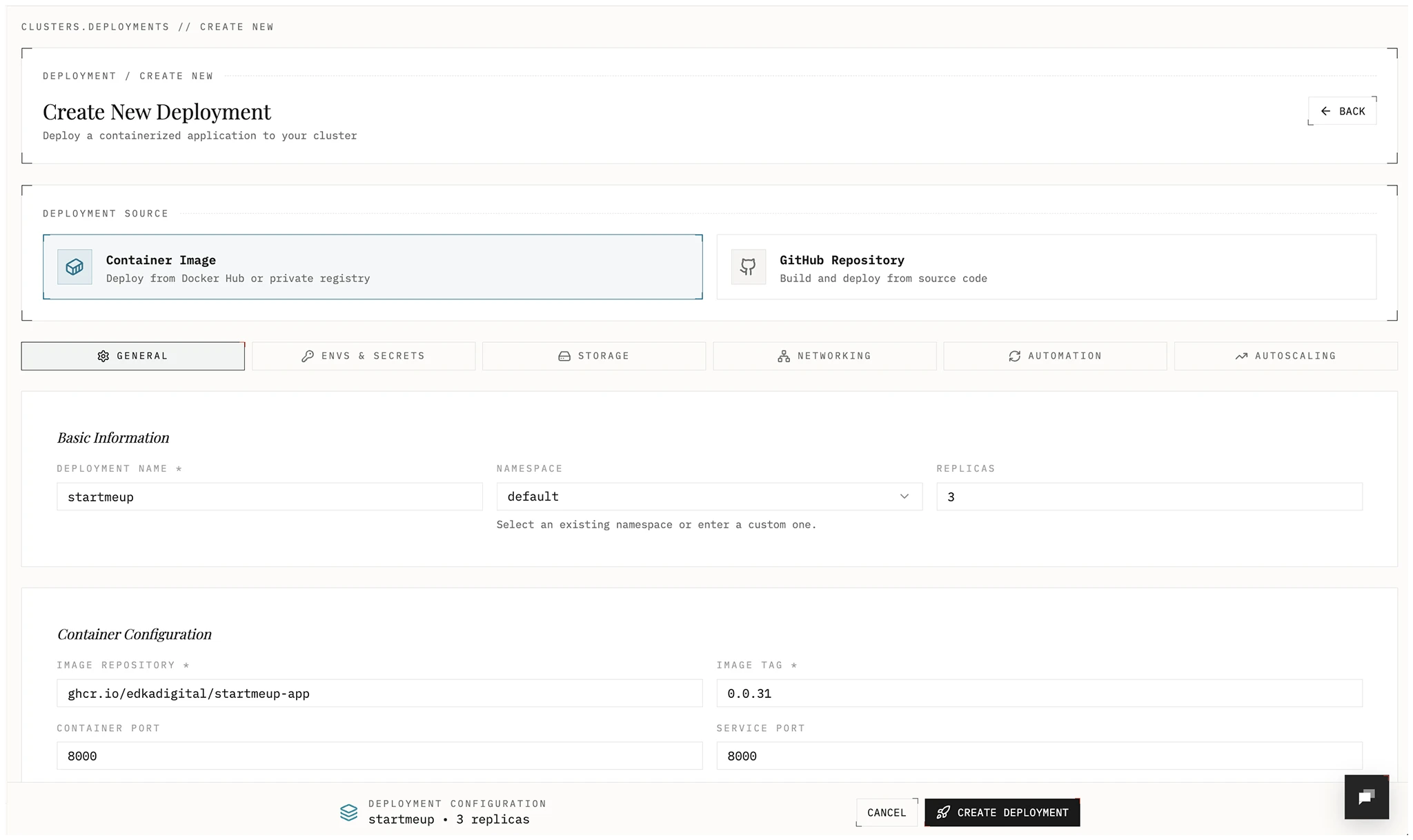
- Name: Deployment name
- Namespace: Kubernetes namespace
- Replicas: Number of pods
- Image repository: Container image source
- Image tag: Version to deploy
- Container port: Port exposed by the container
Environment Variables and Secrets
Section titled “Environment Variables and Secrets”Add configuration and sensitive values.
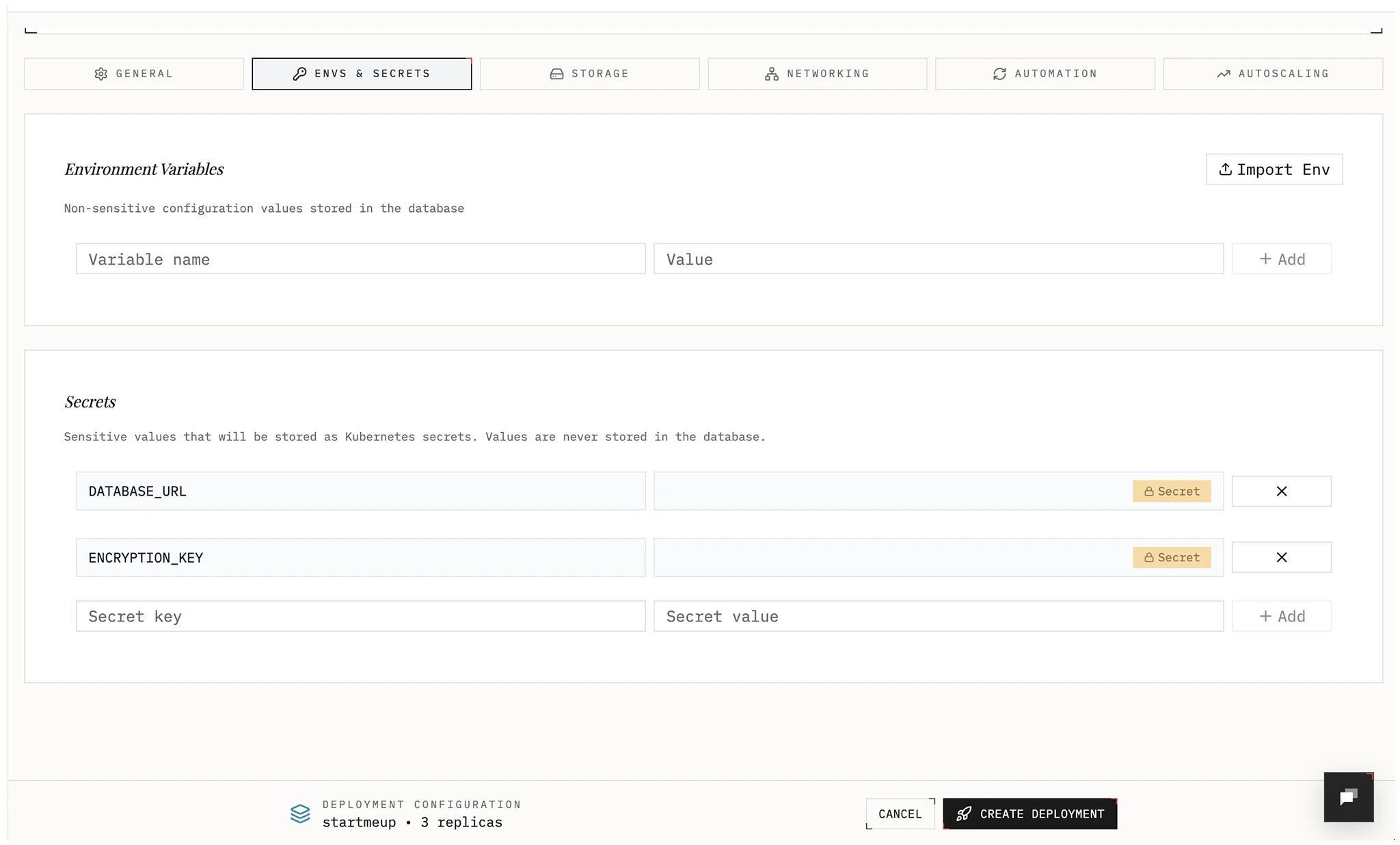
- Environment variables: Non-sensitive key-value pairs.
- Secrets: Stored as Kubernetes Secrets in your cluster and exposed to the deployment as env vars. Values are write-only in Edka; update by submitting a new value.
Edka allows importing values from .env, JSON, or YAML, or add them individually. Edka will validate and assigns them as environment variables or secrets.
Storage
Section titled “Storage”Choose a storage type.
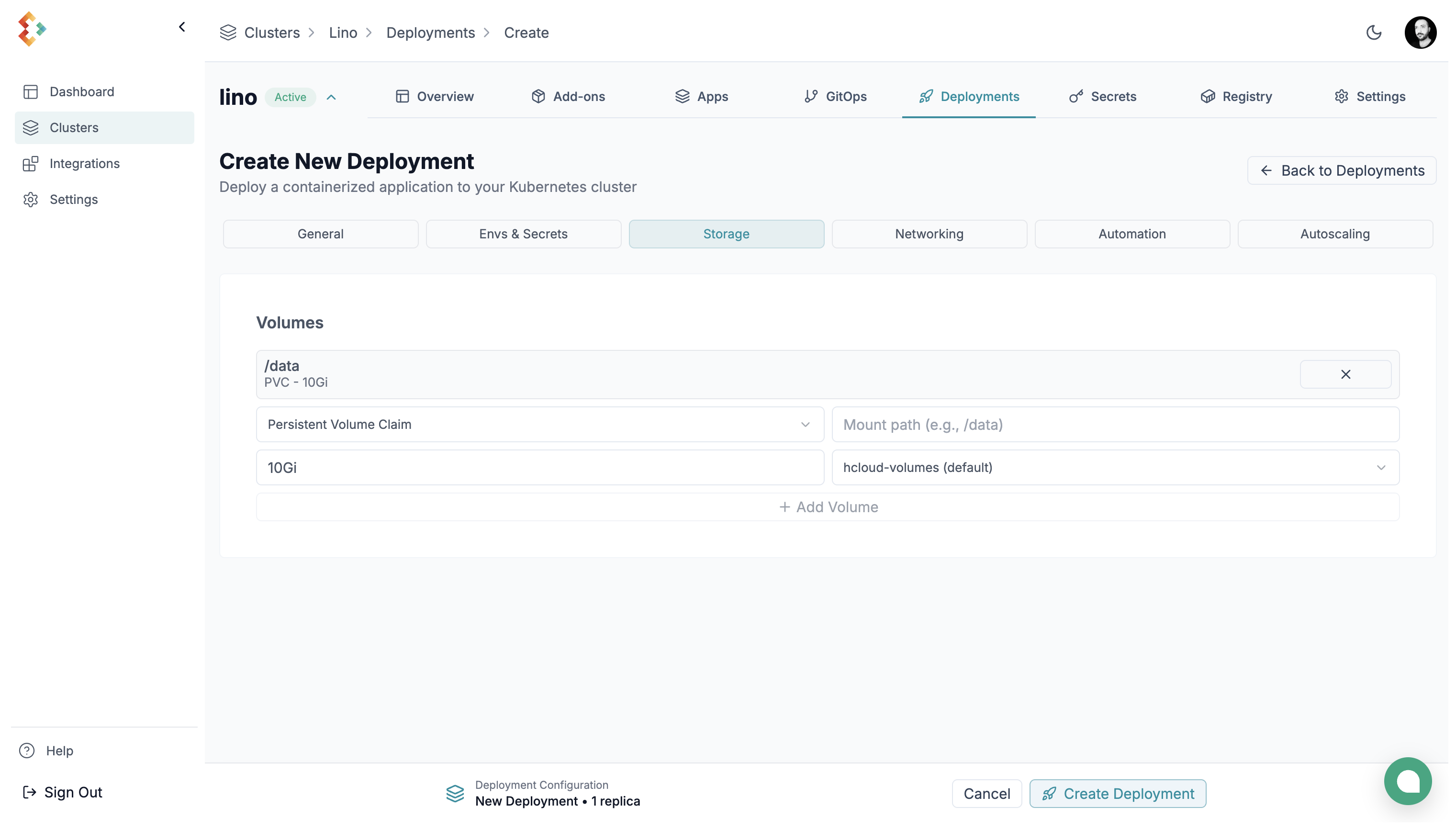
You can choose between:
-
Persistent Volume: Persistent block storage attached to a node. Survives restarts and rescheduling. Size range: 10GB–10TB. You can choose between Hetzner Block Storage and Hetzner Block Storage Encrypted (recommended for production environments).
-
EmptyDir: Ephemeral storage that lasts for the pod’s lifetime only.
Networking
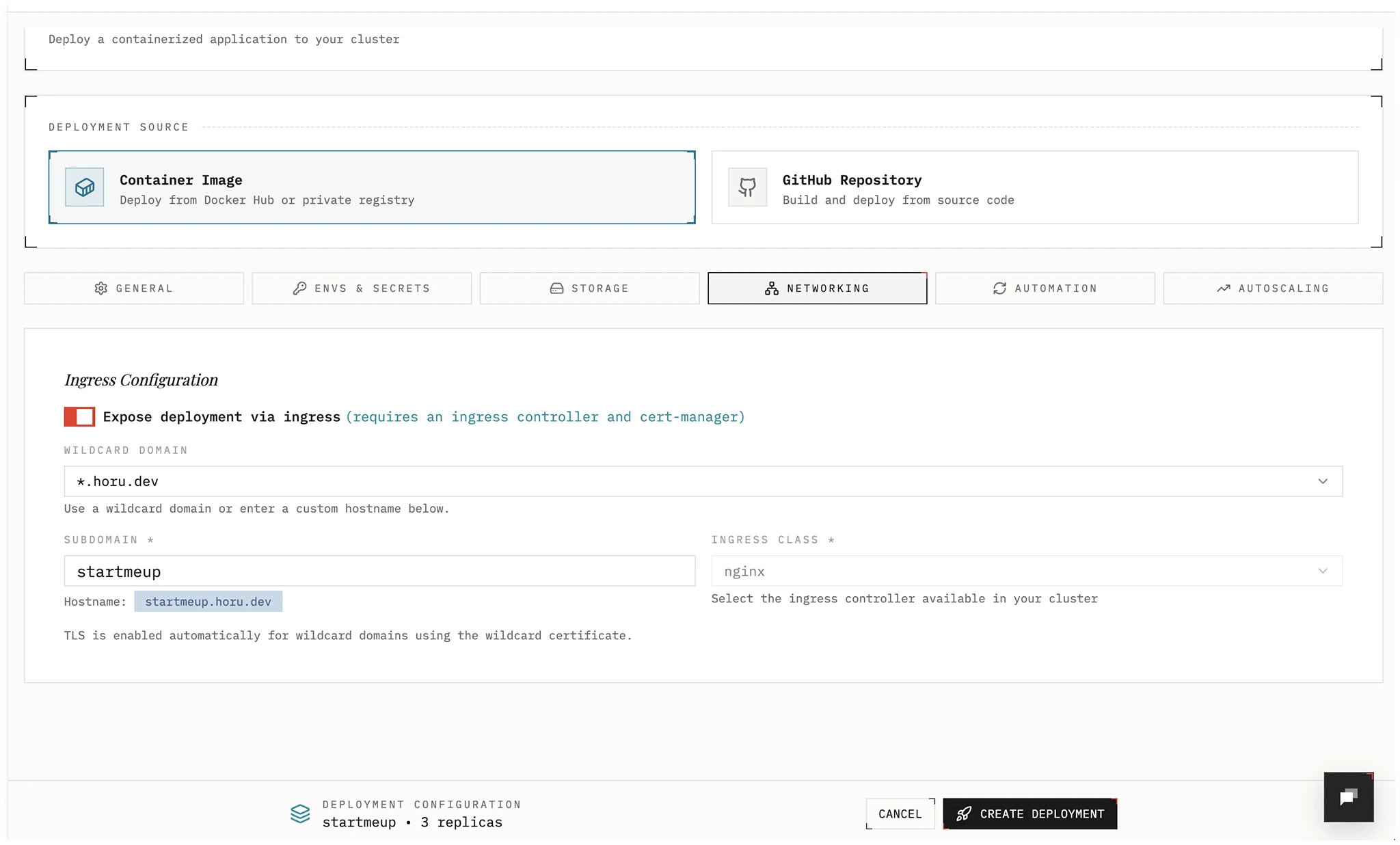
Section titled “Networking”Expose your app through Gateway API, a legacy ingress controller, or a Tailscale traffic class. For new internet-facing workloads, Edka recommends installing Envoy Gateway from the cluster Gateway tab and selecting a Gateway API traffic class in the deployment form.
For private tailnet access, Edka supports two Tailscale paths:
- Select the direct
tailscaletraffic class to publish<subdomain>.<tailnet-dns-name>hostnames. - Create a Gateway class with exposure mode
Tailscale tailnet (BYOD)and use that traffic class for private Gateway API routes.
Point your DNS records to the cluster’s primary Gateway API endpoint (or use the Domains view for wildcard and hostname domains. Wildcard domains cover deployment hostnames and preview environments. Hostname domains are available when you use a public Gateway API traffic class. For managed wildcard TLS, hostname domains, and preview domains, see Domains and TLS. For the full private tailnet workflow, see Tailscale Tailnet Exposure.
If you already have a wildcard certificate managed for that traffic class, TLS
can be handled at the Gateway level. Direct tailscale exposure uses
Tailscale-managed certificates instead of public Let’s Encrypt HTTP-01.
Automation
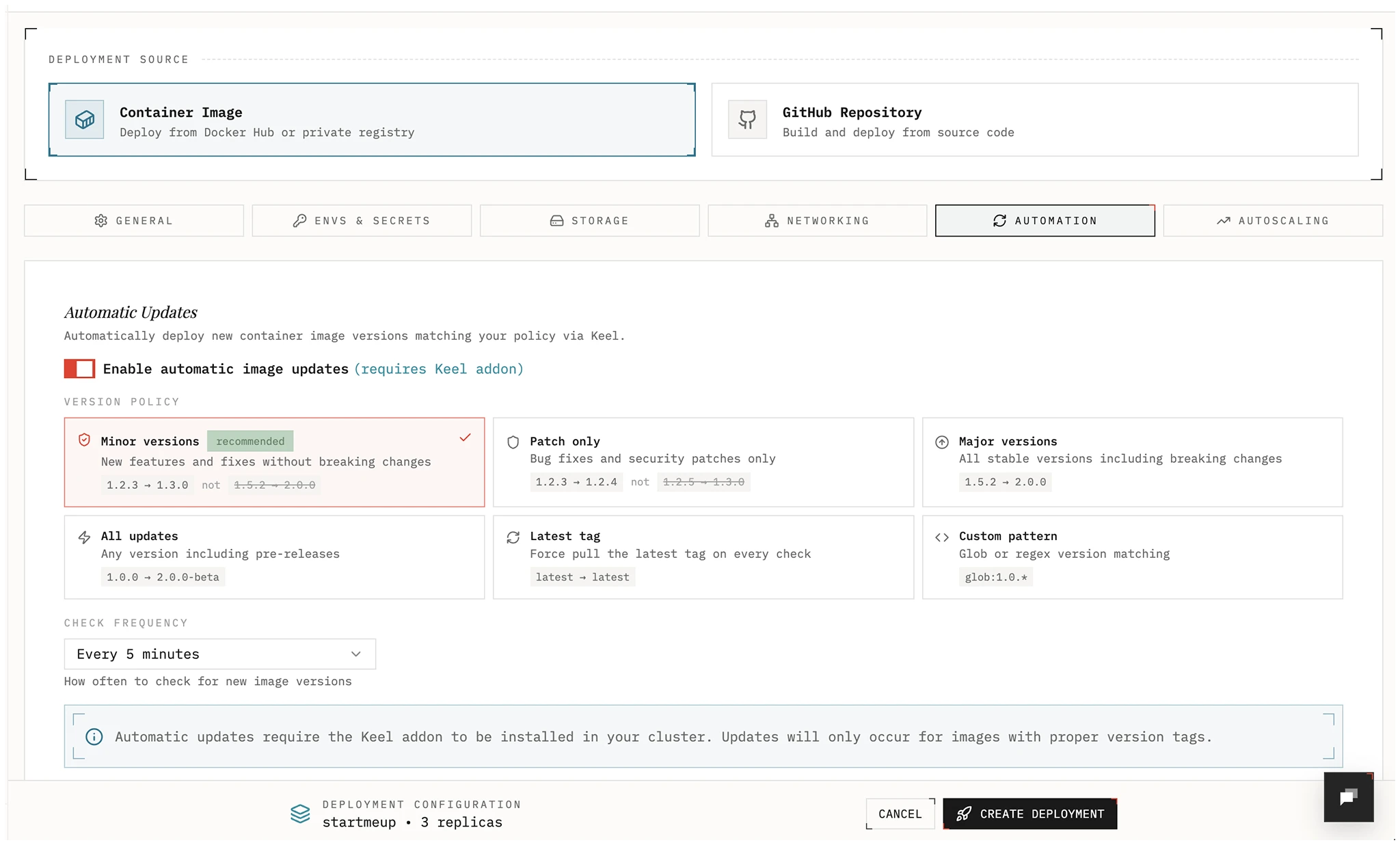
Section titled “Automation”Automatically roll out new images using SemVer policies when a new image is pushed.
Policies:
- all: Update on any bump or prerelease (e.g., 1.0.0 → 1.0.1-rc1)
- major: Allow major, minor, and patch updates
- minor: Allow minor and patch updates; block major
- patch: Allow patch updates only
- force: Update even for non-SemVer tags (e.g.,
latest). Optional: set labelkeel.sh/match-tag=trueto restrict updates to the same tag only. - glob: Use wildcards to match versions (e.g.,
1.2.*)
Autoscaling
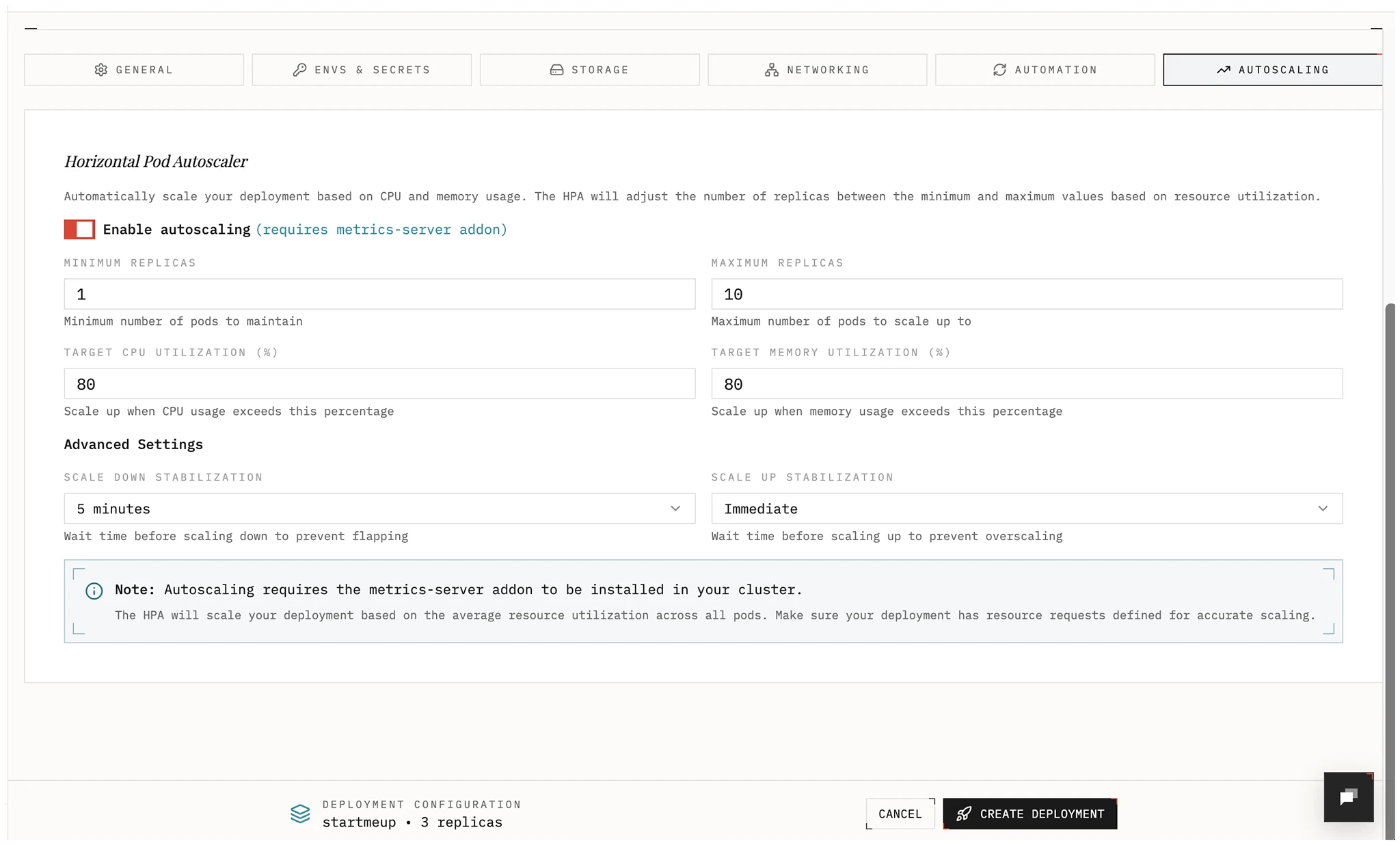
Section titled “Autoscaling”Enable a Horizontal Pod Autoscaler and choose metrics and target values to scale your deployment automatically.
Rollback
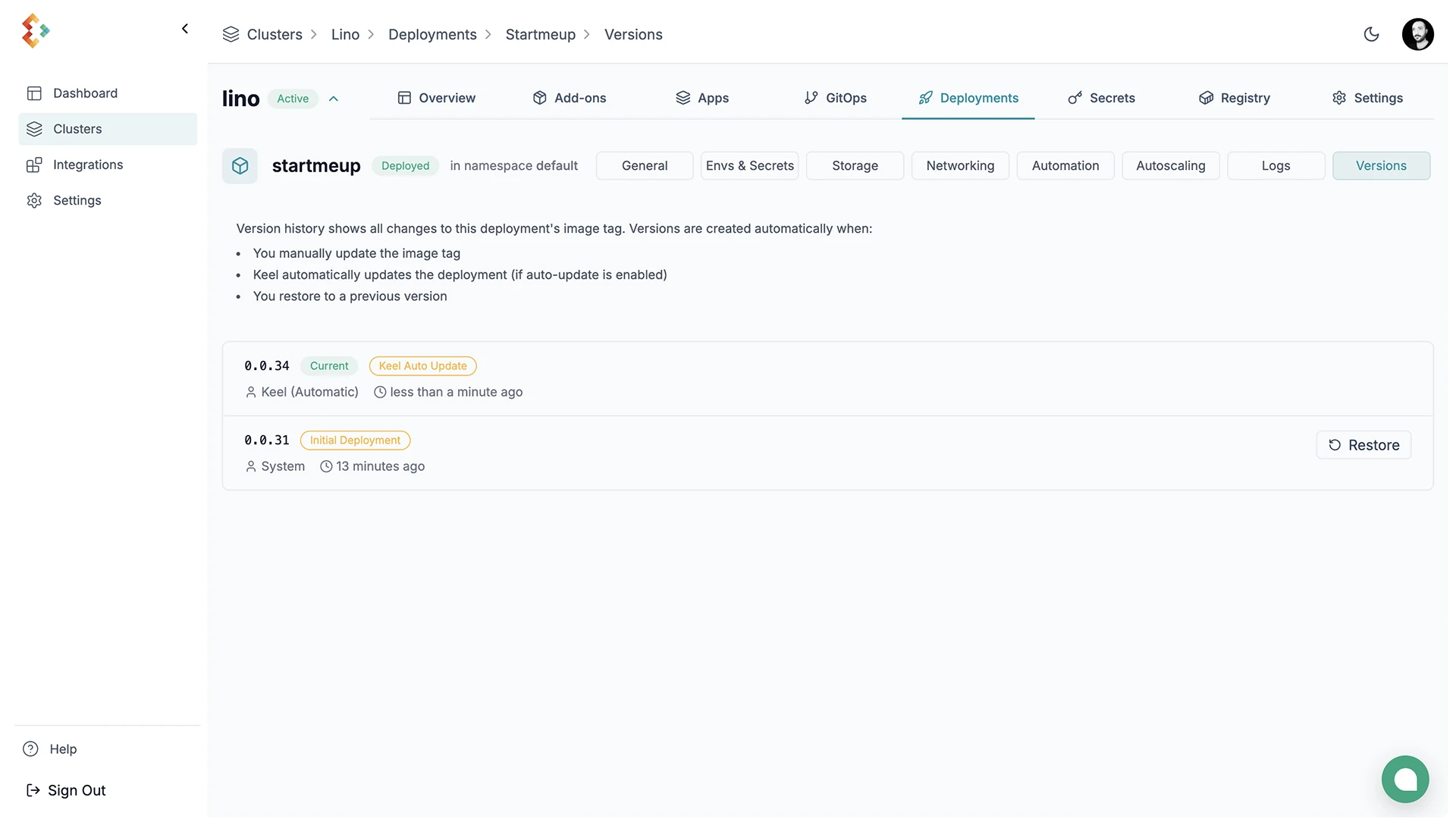
Section titled “Rollback”Restore a previous revision from the deployment actions menu.
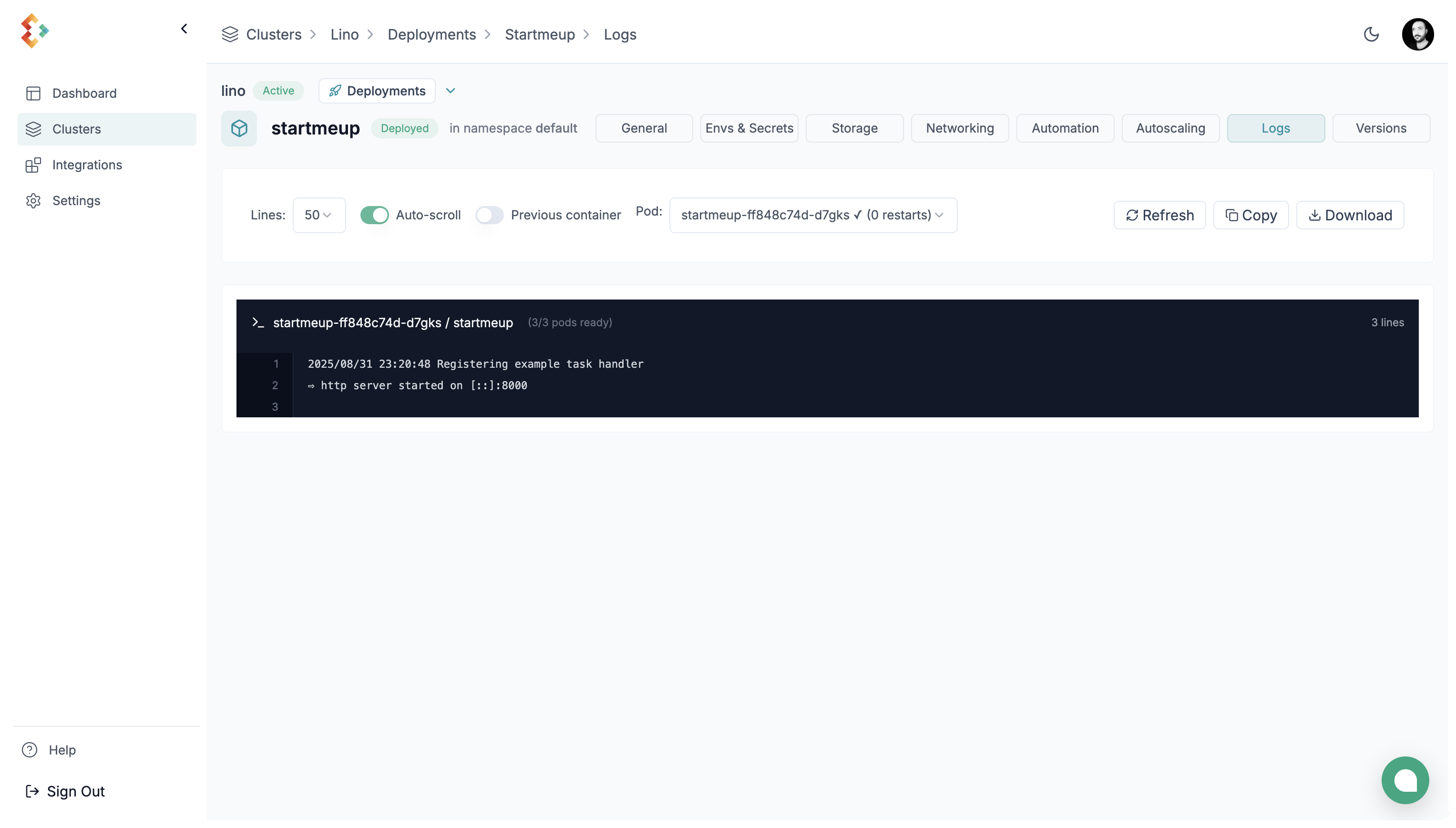
View the logs for your deployment from the deployment details dropdown.
Deployment Details
Section titled “Deployment Details”Details of your deployment are viewable from the deployment details dropdown.