

Branch Deployments (Git)
Branch deployments build and deploy directly from a GitHub repository. Edka watches a branch or tag, builds your image with Railpack, pushes it to the cluster default registry, and deploys it automatically.
Note: Branch deployments are only supported for GitHub repositories at the moment.
Requirements
Section titled “Requirements”- GitHub integration connected to the repo.
- A default container registry configured for the cluster.
- For previews: a Gateway API controller (recommended) or legacy ingress controller, plus a wildcard domain. See Domains and TLS.
Create a branch deployment
Section titled “Create a branch deployment”- Open a cluster and go to Deployments.
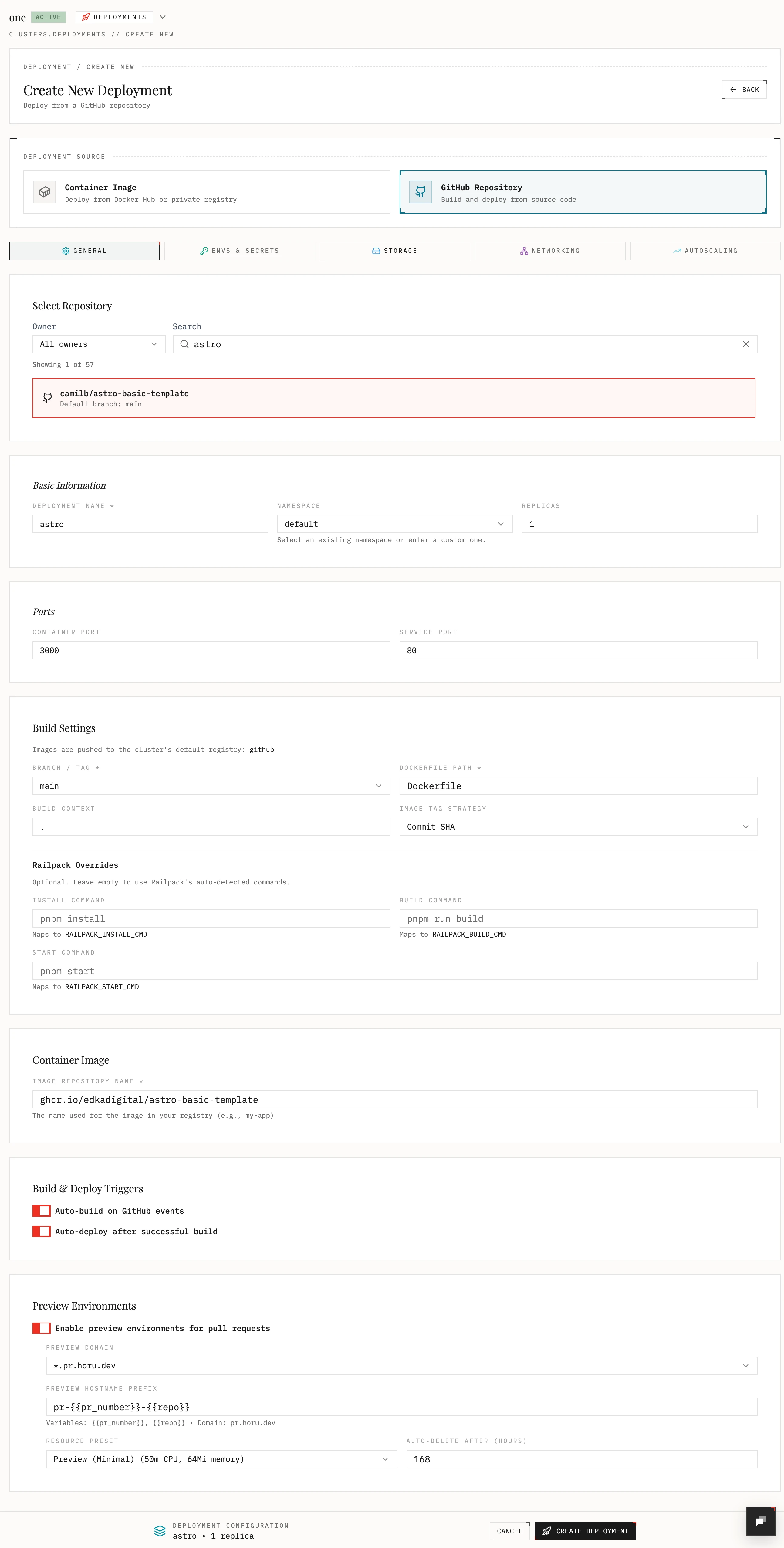
- Choose GitHub Deployments and select a repository.
- Configure the branch or tag, Dockerfile path, and build context.
- Set an image repository name for the build output. It should be the default container registry for the cluster (e.g.
ghcr.io/your-username/your-repo). - Optional: enable auto build and auto deploy. Edka will build and deploy your application to your cluster automatically each time you push a new commit to the branch.
Build settings
Section titled “Build settings”- Branch / Tag: the ref to build from (for example
mainorv1.0.0). - Dockerfile path and build context: relative to the repo root.
- Build args: key value pairs passed to the build.
- Railpack overrides: set install, build, or start commands. These map to
RAILPACK_INSTALL_CMD,RAILPACK_BUILD_CMD, andRAILPACK_START_CMD.
To learn more about Railpack, please refer to the Railpack documentation.
Build and deploy flow
Section titled “Build and deploy flow”- Pushes to the configured branch trigger a build when Auto build is on.
- The branch must match exactly; other branches are ignored.
- Successful builds update the Git deployment record.
- If Auto deploy is on, the deployment updates to the new image.
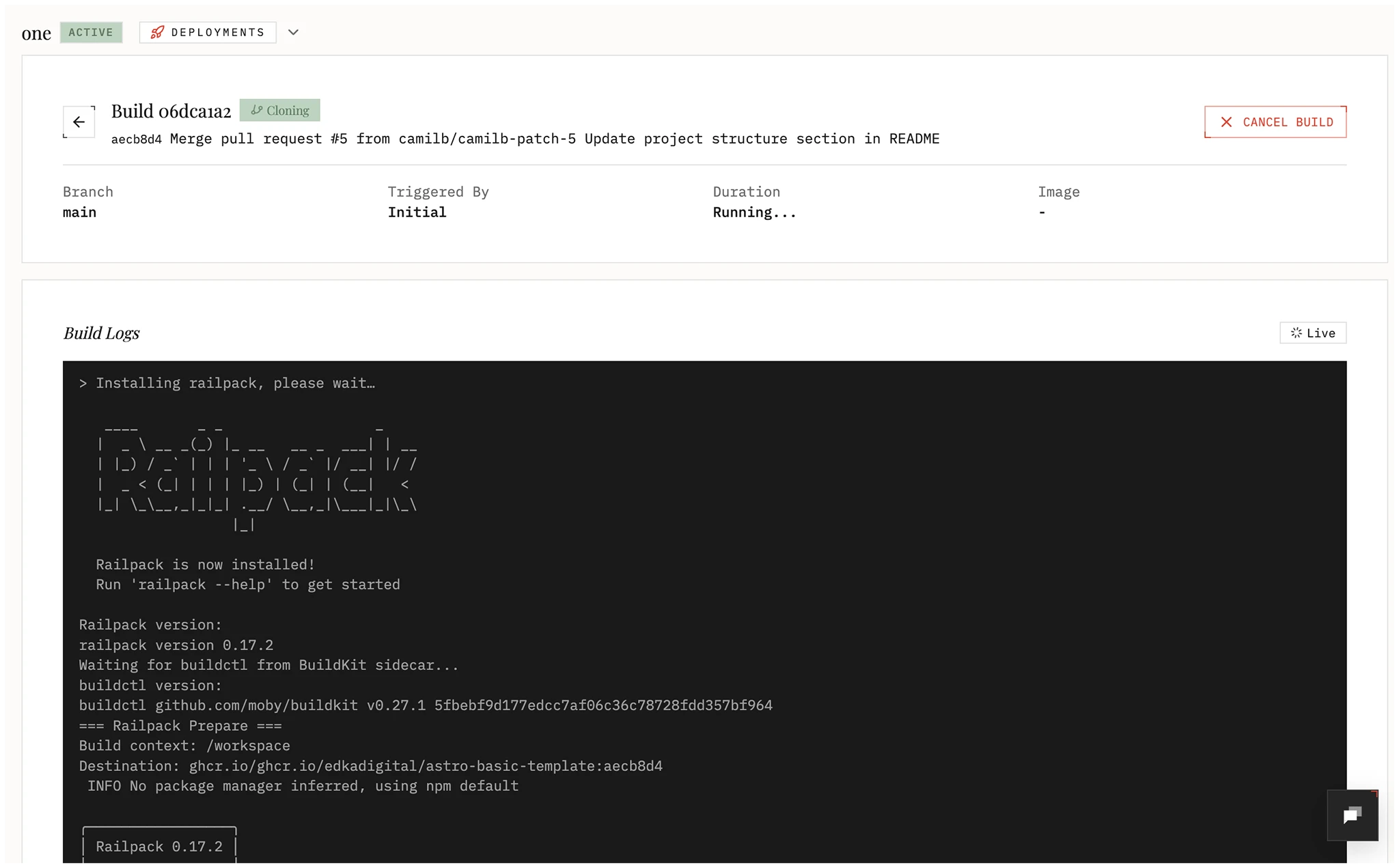
You can also manually trigger a build and deploy your application from the deployment Builds tab.
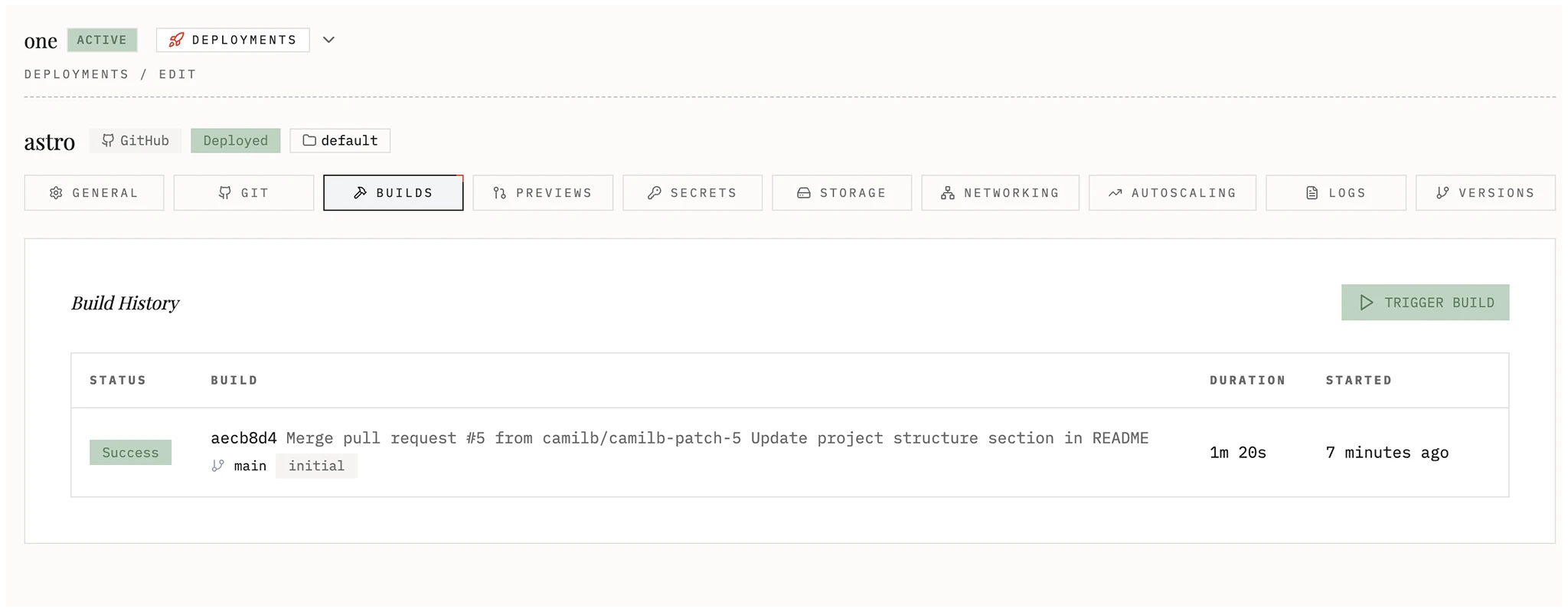
Image tag strategies
Section titled “Image tag strategies”- Commit SHA (default): short commit hash.
- Branch name: sanitized branch name.
- Timestamp: ISO timestamp.
- Custom pattern: supports
{{timestamp}},{{branch}},{{commit_sha}},{{commit_sha_short}},{{sha}}.
Preview environments for pull requests
Section titled “Preview environments for pull requests”When enabled, Edka creates a preview environment for pull requests that target the configured branch.
- PR actions supported: opened, reopened, synchronize (update), closed (delete).
- Preview domains must be wildcard domains marked as preview and must match the deployment traffic class.
- Single hostname domains cannot be assigned to preview environments.
- Multiple preview wildcard domains per traffic class are supported. Each Git deployment can select a specific one.
- Preview hostnames use a single DNS label under the wildcard domain. Default prefix:
pr-{{pr_number}}-{{repo}}. - Supported prefix variables:
{{pr_number}},{{repo}},{{timestamp}},{{deployment_name}},{{hostname}}. - Resource presets:
- preview: 50m CPU, 64Mi memory
- small: 100m CPU, 128Mi memory
- medium: 250m CPU, 256Mi memory
- Auto delete after N hours (1 to 720, default 168).
- Preview deployments run in the
previewnamespace.
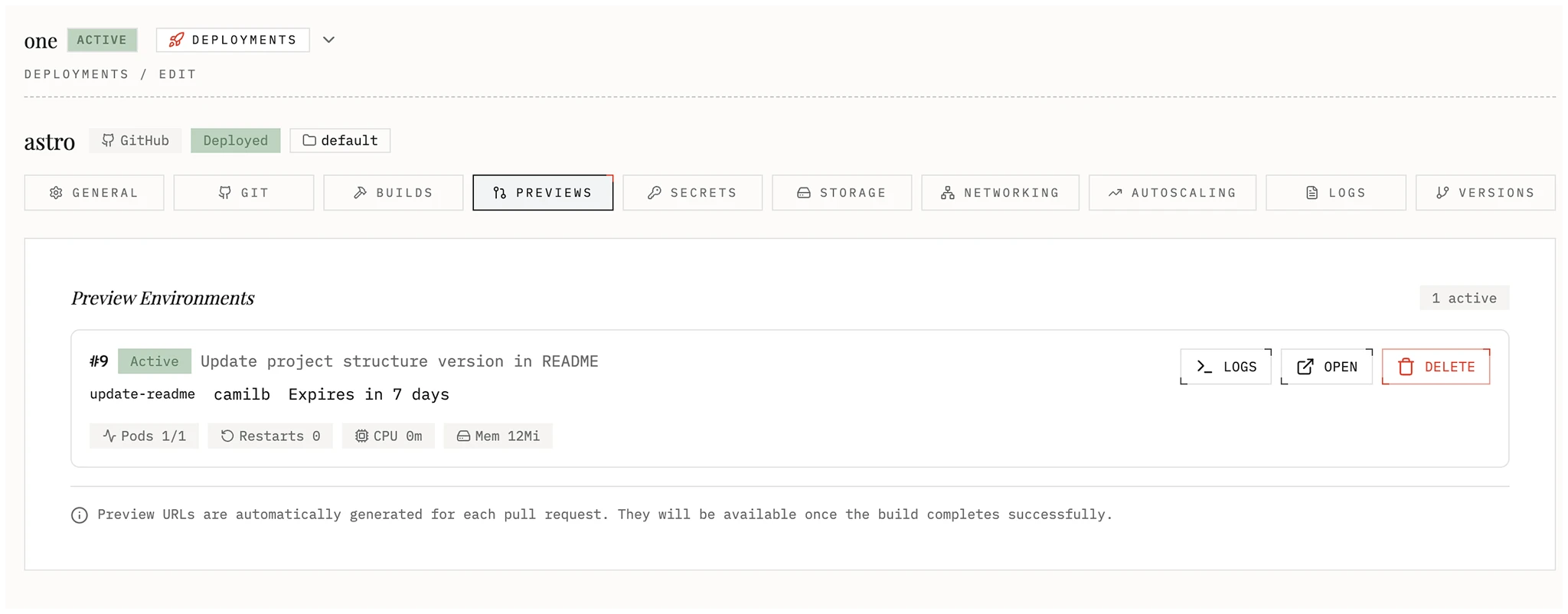
Create a Pull Request in your GitHub repository and Edka will create a preview environment for it.
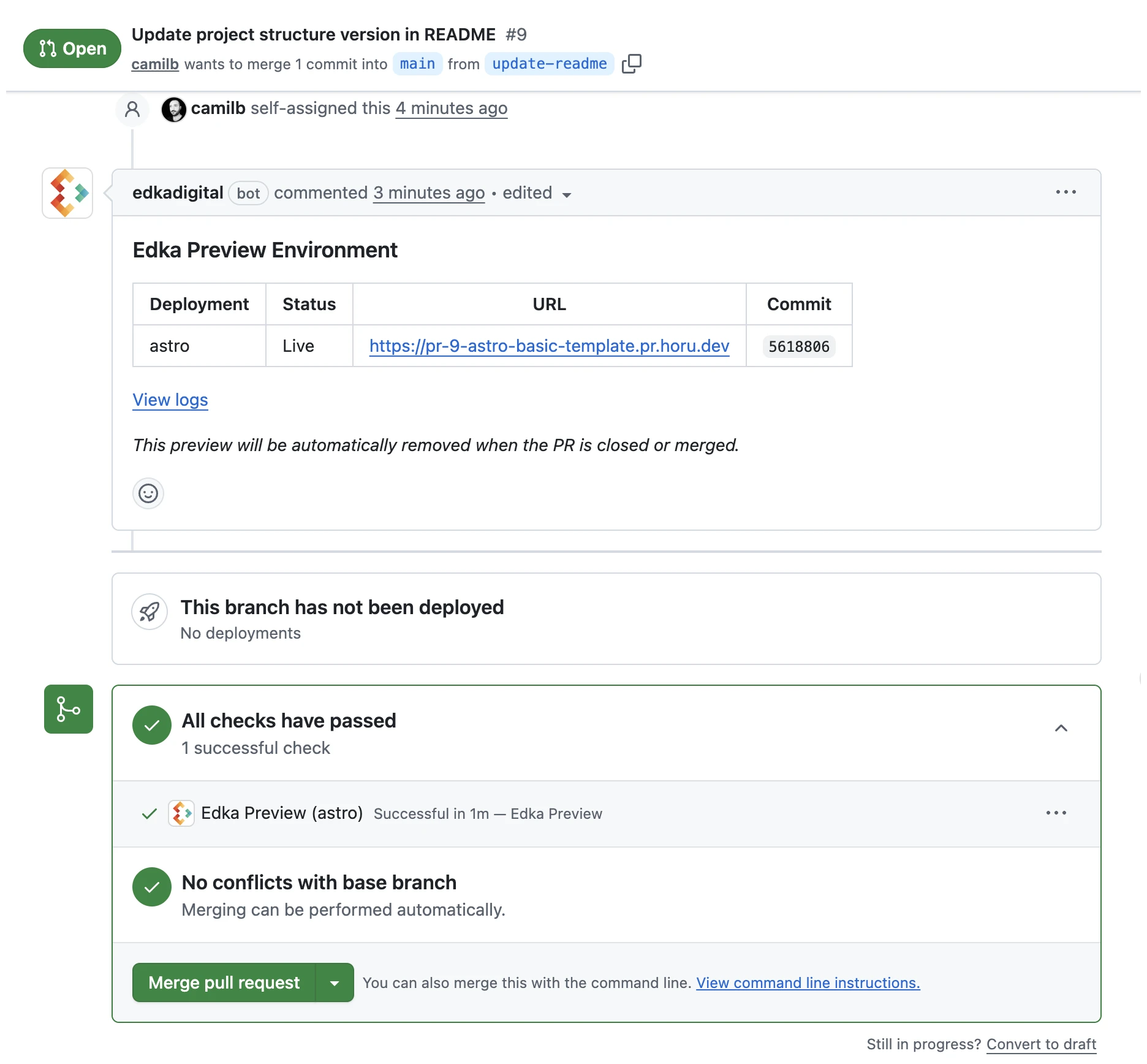
You can check all your preview environments in for the specific deployment in the Previews tab.
TLS for previews
Section titled “TLS for previews”- Preview environments require at least one wildcard domain in the cluster Domains view.